

IServ is our school app. There are accounts for parents, teachers and pupils.
Registering parent accounts
To register a parent account for the first time, you will need a registration code. You will receive this from the school.
- Scan the QR code with your camera.
- A registration page will open automatically; your registration code will already be entered.
- Enter your email address.
- You will receive an automatic registration email.
- Open the link in the email to set your password.
Configuration of the IServ app
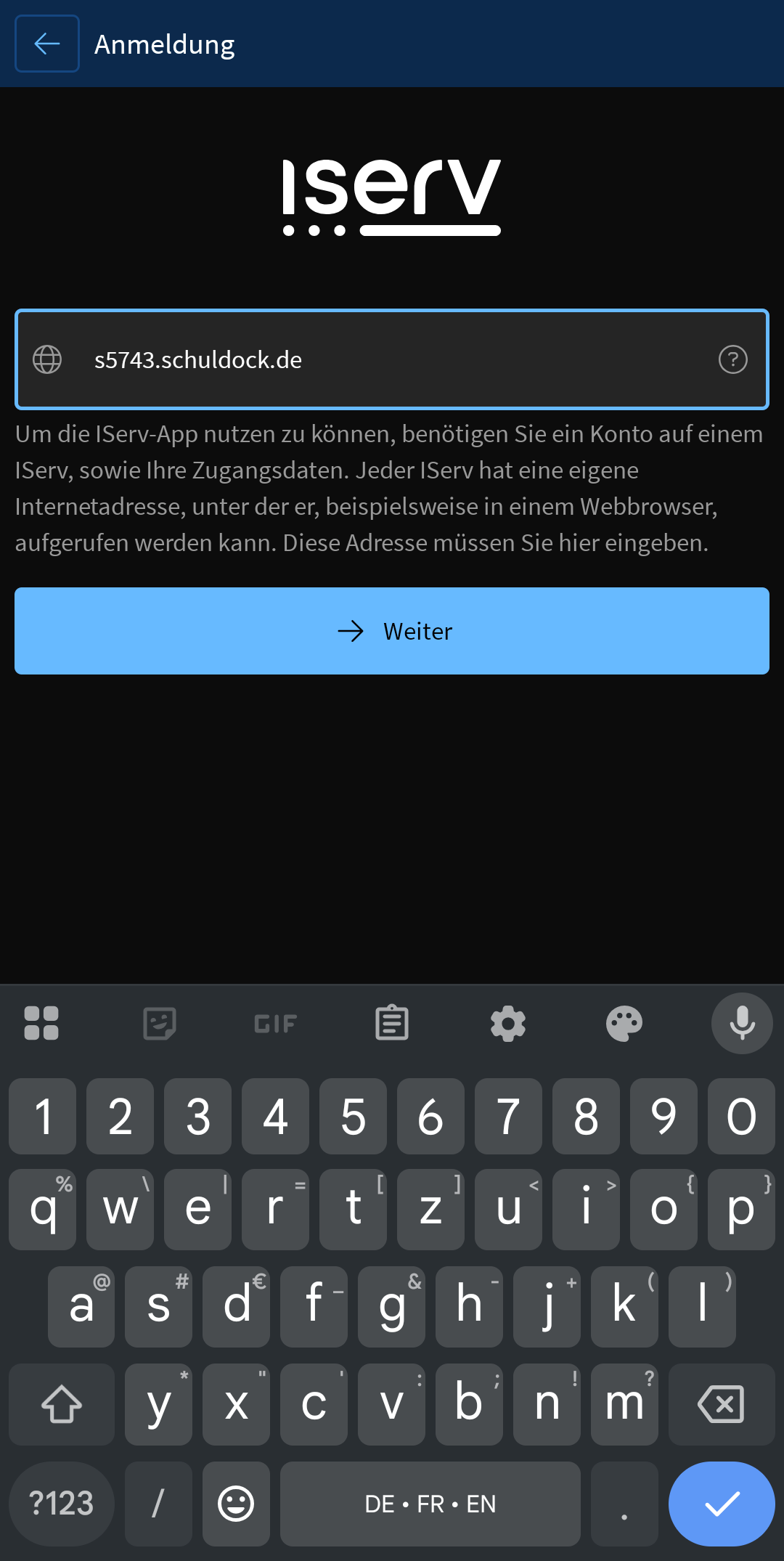
- Install and open the IServ app
- Enter the IServ address for Cranz School: s5743.schuldock.de
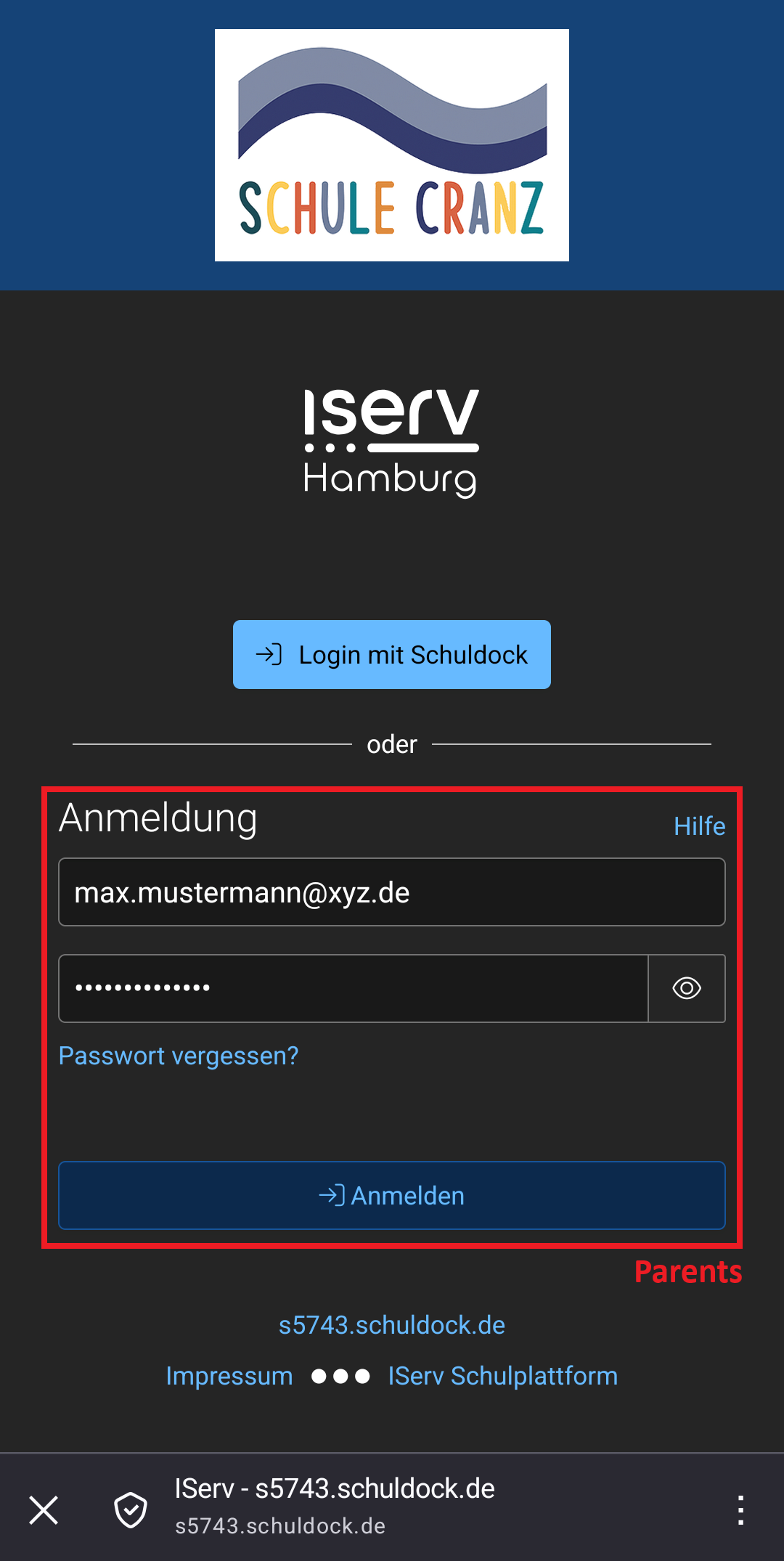
- Login:
- Parents should log in here using their login details (email address and password).
- Teachers and pupils should instead select ‘Login mit Schuldock’.
- Tap Zulassen to allow the IServ app to access the account.
FAQ (Frequently Asked Questions)
Who should I contact if I have any questions or encounter any difficulties?
Mr Labusch will be happy to help with any questions you may have about IServ.
Contact: iserv@s-cranz.hamburg.de
I’ve forgotten my password.
You can create a new password via the Passwort vergessen link.
How can I manage multiple accounts in the app?
Tap the settings icon in the bottom right-hand corner, then tap Account wechseln (switch account). Tap the + icon in the account overview to add another account.
Can I also use IServ on a PC or laptop?
You can access IServ as a website on your PC or laptop: s5743.schuldock.de
- Parents should log in here using their login details (email address and password).
- Teachers and pupils should instead select ‘Login mit Schuldock’.